Data-Driven Management
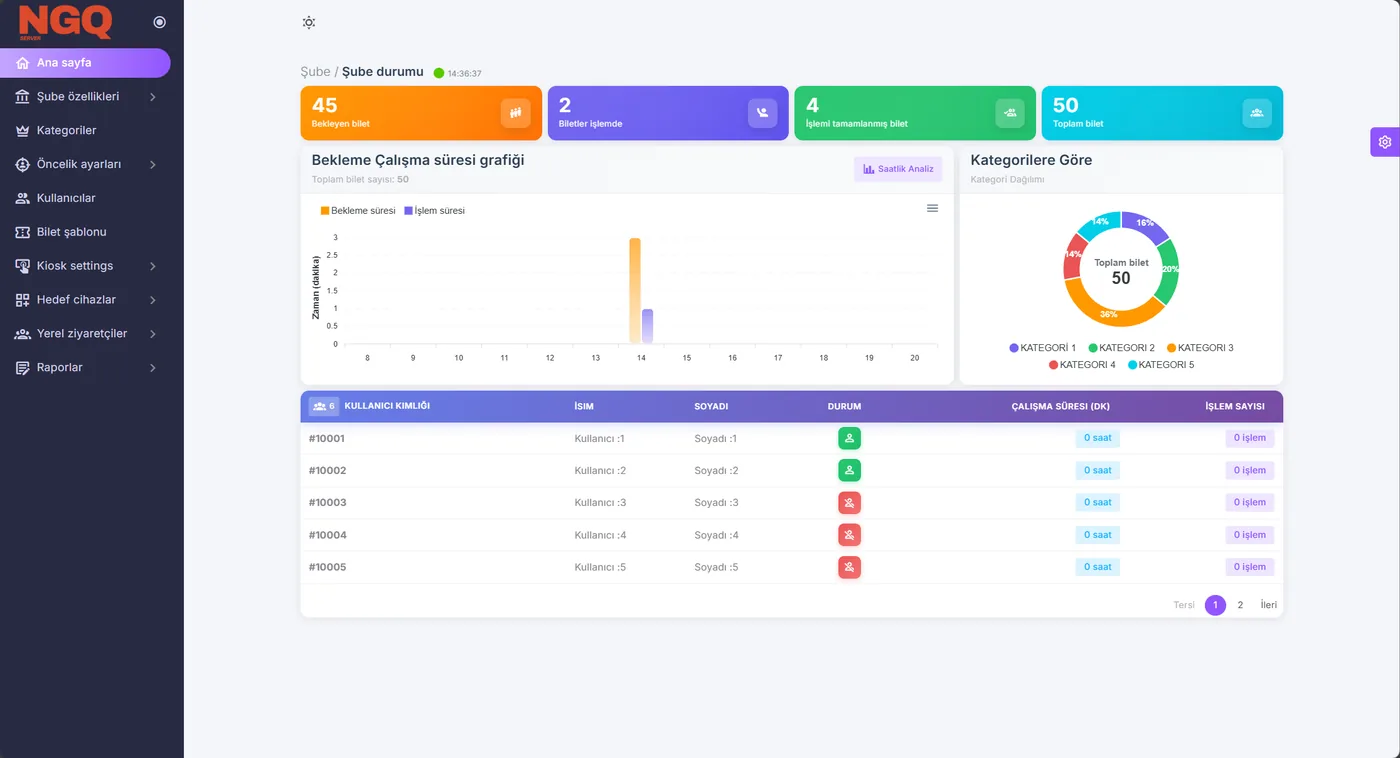
Track branch performance in real time with detailed analytics and base strategic decisions on measurement instead of guesswork.
A digital queue infrastructure made of kiosk, call display and counter terminal. It routes customer flow, measures waiting time and reports every branch from a single centre.
Advanced ticketing algorithms and user-friendly interfaces raise your operational efficiency while giving customers a comfortable waiting experience.
Track branch performance in real time with detailed analytics and base strategic decisions on measurement instead of guesswork.
Measure staff performance, identify bottlenecks and continuously optimise your operational processes.
Route customers to the right counter at the right time, remove waiting stress and make satisfaction measurable.
The common setup is kiosk + call display + counter terminal within a single building. When there is more than one branch, the system switches to central management mode.
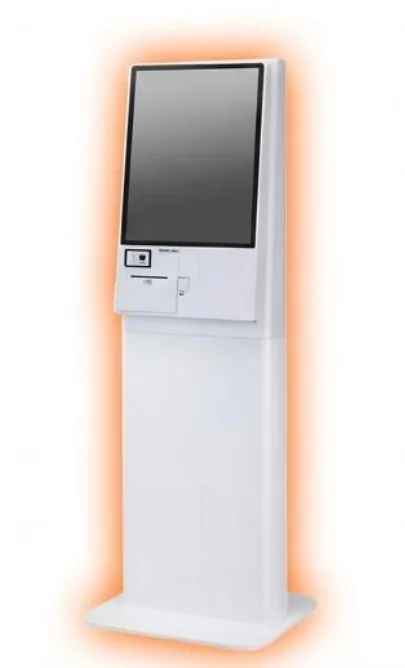
The customer picks a service on the kiosk or is recognised by appointment.
Categories and priorities apply, and the customer joins the correct queue.
Ticket number and assigned counter are published on the displays.
Staff call from the terminal and handling time is measured automatically.
Waiting time and workload data are reported centrally.
From kiosk design to central management, every component adapts to your organisation's workflow.
Design kiosk screens that match your corporate identity with a drag-and-drop editor.
Detailed graphical reports on waiting times, transaction density and staff performance.
Manage all branches, users and devices from a single centre.
Keep waiting areas informed and lively with video, image and scrolling text support.
Appointment holders get priority while walk-in customers join the same flow seamlessly.
Talk to your CRM, ERP and time-attendance systems through a RESTful API covering all functions.
Dashboard, definitions, design editors and reports — all real application screens. Tap a card to enlarge.
Kiosk, call screen, counter terminal, indicators and central management are parts of the same architecture; communication between them is defined and secure.
The customer picks a service type; the ticket printer issues the queue number.
Ticket number, counter and waiting list, together with video and logo areas.
Staff call the next customer or park them; handling time is measured automatically.
The queue number is also sent to LED indicators and queue boards.
Manages in-branch traffic and shares only the necessary data with the centre.
Branches, users, devices and reports come together on a single panel.
Start with the licence model that fits your need and move to central management as your branch count grows. Pricing is quoted according to scope.
 Single Branch
The starting edition for end-to-end queue management at a single service point.
 Enterprise
Central management and reporting for multi-branch use in scalable network environments.
Region, role and permission structure is set up to match your scale; the system can run in sync with your corporate user database.
Group branches by geography or custom sets so reports arrive per region.
Admin reaches everything; Manager manages users and operations in their own region; User reaches the reports of their region.
Your user database is matched with the system user table; additions and branch changes are reflected without extra work.
Enter the number of terminals; target device sets and indicator definitions are created automatically.
Four standard reports plus custom designs. Tap a card to enlarge.
There is also a Branch Report (daily branch history) and a Device Report.
NGQ Queue Management System works wherever customers or citizens are welcomed and routed.
Teller and desk routing, queue separation by transaction type, waiting time measurement and branch performance reporting.
Organising patient flow across clinics, laboratories and registration desks, with kiosk check-in and routing.
Queue order in citizen reception areas, routing by transaction type and density tracking.
Customer representative routing, ticketing before service and representative-based transaction reports.
Managing student flow during registration peaks with unit-based routing.
Prioritising appointment holders and routing between information and sales units.
Review system requirements and integration capabilities before deployment. Software installed at the branch has the same requirements in both editions; central management is only part of the Enterprise edition.

NGQ Queue Management System integrates with the TroyBlink digital signage platform: ticket numbers, counter and waiting information are pushed live to the call screens, and screen content is managed centrally.
| Item | Detail |
|---|---|
| Software installed at the branch Same requirements in the Single License and Enterprise editions | |
| Operating system (branch server) | Windows 10 or a newer version. |
| Memory (branch server) | 4 GB minimum, 16 GB recommended — for the simultaneous use of 10 client devices. |
| Application foundation (branch server) | .NET 10. |
| Installation and running | No special installation is required; once the necessary network and port permissions are configured, the software simply runs. |
| Counter terminal — operating system | Windows 10 (Build 19041) or later; Windows 10 (21H2) or Windows 11 recommended. |
| Network | The required ports and permissions must be configured in the local network environment. |
| Scaling (branch) | The default configuration is optimised for 10 clients (10 web-based indicators and 1 web-based main display). More clients require a hardware upgrade; if only LED-based indicators are used, 4–8 GB RAM is sufficient. |
| Hardware | Kiosk and touch terminals, counter PCs, LED / LCD indicators, queue boards and call screens. |
| Central management software — NGQ Manager Enterprise edition only; installed at the centre | |
| Operating system (centre) | Windows Server 2019, 2022 or 2025 (Windows Server 2012 is not supported). |
| Hosting | For testing, self-hosting on a Windows 10 or later PC (runs as an executable and serves as a web server) can be used; above 10 branches, moving to an IIS server is recommended. |
| Database | Microsoft SQL Server 2019 Standard or higher. Data is held in the central database; the load sits mostly on the central DB. |
| Web server | IIS 6 or higher (ships with Windows Server). |
| Application foundation (centre) | .NET 10. |
| Installation | The software is installed on IIS; the required files and libraries are supplied as a package, and installation should be carried out by technical staff. |
| Settings delivery | Definition changes made centrally are applied to branches every 5 seconds by default. |
| Scalability (centre) | Resource needs scale with the number of branches and transactions; database capacity depends on transaction volume. |
| Common to both editions Applies equally to branch and central installations | |
| Communication | Real-time updates over SignalR; TCP/IP, web service, SQL and RS-485 connections. |
| Security | HTTPS with your corporate certificates; branch software provides in-branch HTTPS with the same certificate. Hashed passwords in the database, e-mail password reset and a comprehensive activity log. |
| Integration | 100% compatible with enterprise systems such as CRM, ERP and time-attendance via RESTful API support. Screen integration is available with the TroyBlink digital signage platform. |
Tell us your need and we will plan together which edition and hardware fit. A form or an e-mail is enough to request a demo.